deskset Office
suite

Now in product testing

The whole desk,
in one set.

Documents, spreadsheets, presentations and code in four professional apps. They run in your browser, and you can install each one on your computer or phone as an app.

The suite

Four apps. One suite.

Each app does one job properly. Install the ones your work needs, or all four.

01Write

Documents that look finished.

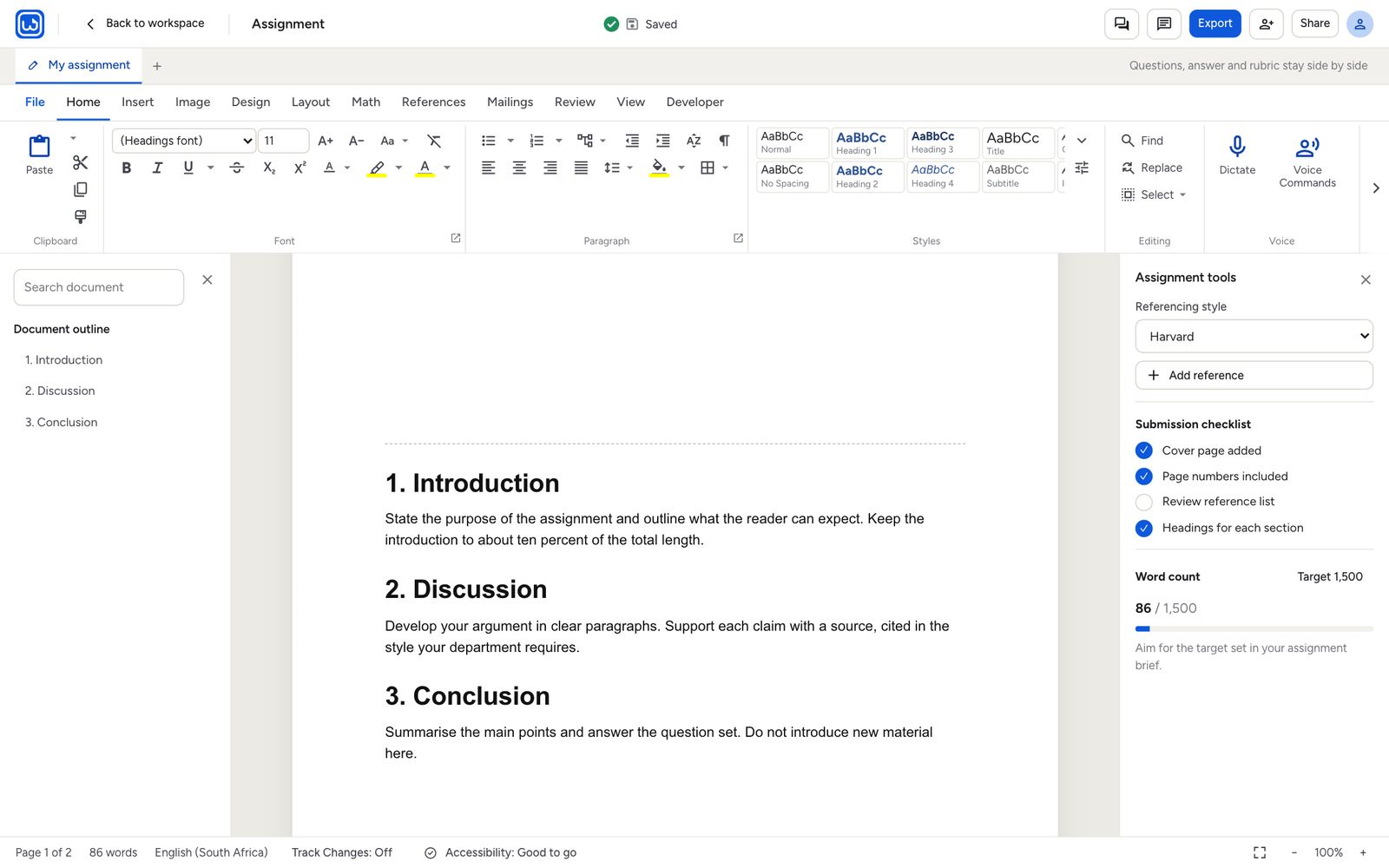
Reports, proposals, contracts and letters, with the layout tools you expect from a full word processor.

  • Styles, tables of contents, footnotes and track changes
  • Citations in APA, Harvard, MLA, Chicago and IEEE
  • PDF Studio: edit, fill in, sign and protect PDFs
  • Mail merge, envelopes and labels for client letters
  • Opens Word, PDF and plain-text files
Write with an assignment open
02Tally

Numbers you can stand behind.

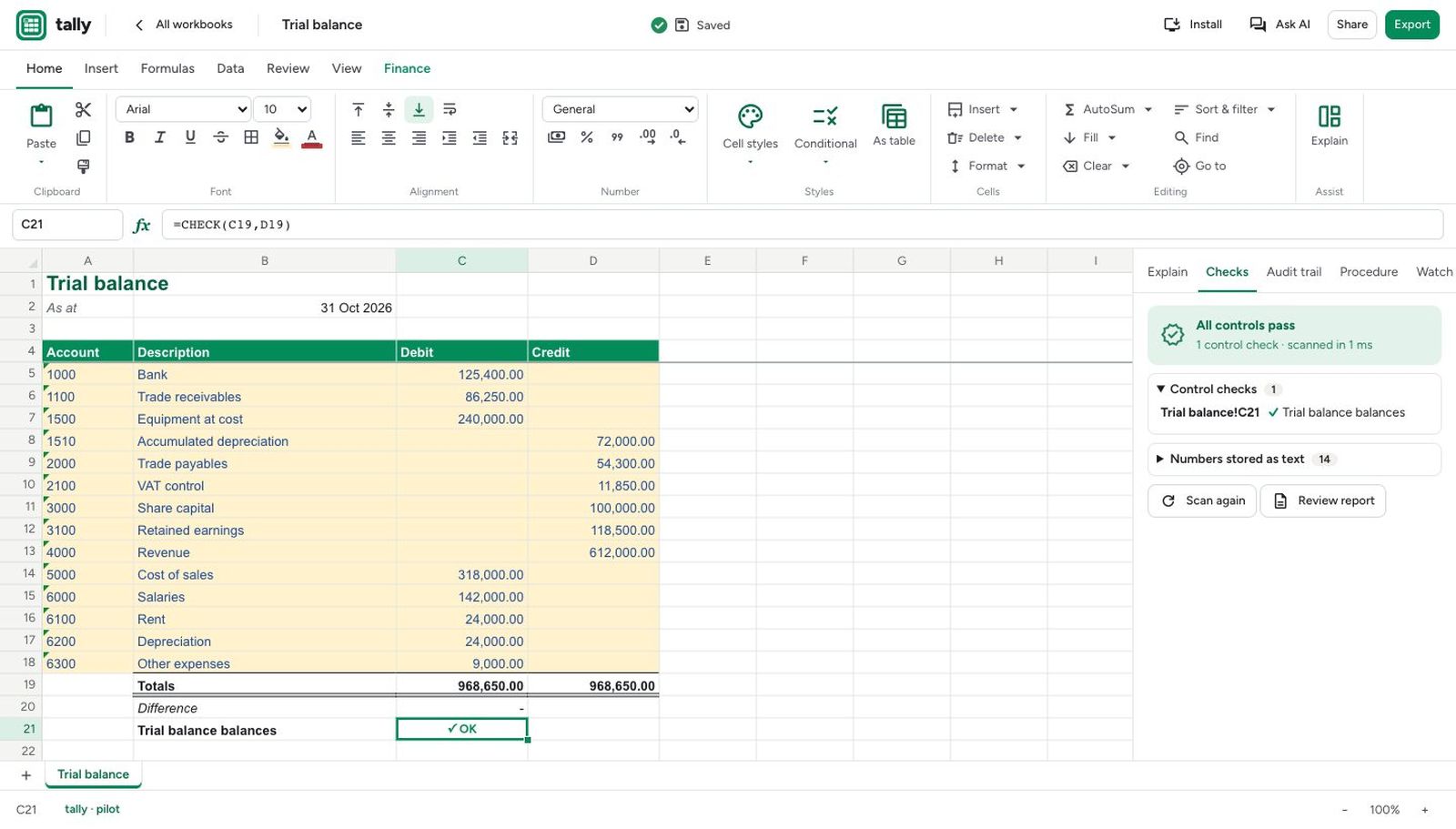
A spreadsheet built with accountants in mind. It checks your work as you go and keeps a record of every change.

  • 457 functions, including the ones you already use in Excel
  • Control checks that flag a trial balance that doesn't balance
  • Audit trail and sign-off for every workbook
  • Reconcile, goal seek, scenarios and pivots
  • Opens Excel and CSV files and exports to .xlsx
Tally with a trial balance
03Show

Slides people remember.

Pitch decks, board packs and quarterly reviews. Create with clarity and present with confidence.

  • 12 themes, 24 shapes, charts, tables and diagrams
  • 29 animations and 12 transitions, including Morph
  • Presenter view with notes, a timer, pen and laser pointer
  • Design ideas and an accessibility check for every deck
  • Opens and saves PowerPoint files, exports to PDF
Show: slides people remember. Three example slides with 12 themes, 29 animations and presenter view
04Dev

From the first line to a live site.

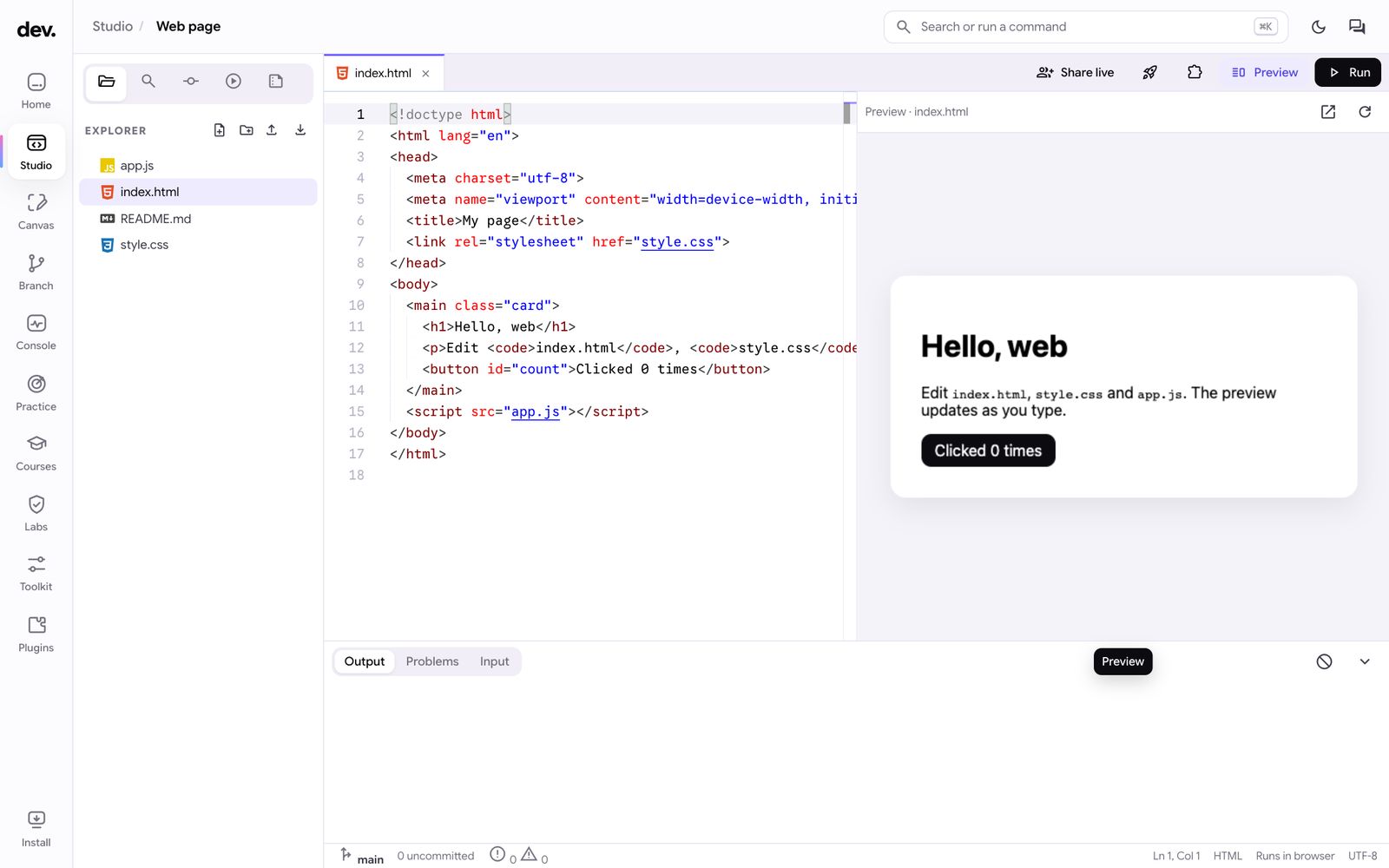
A workspace for building websites and tools. Write the code, design the screens and put it online without leaving the browser.

  • Code editor built on the engine behind VS Code
  • Run Python, JavaScript, Java, C#, Kotlin, Dart and more
  • Design screens in Canvas and keep versions in Branch
  • Publish a website in one click, with every version kept
  • Security labs for testing your own sites
Dev studio with a web page project

Trusted by

Companies who trust us

Organisations that already work with deskset.

Premium features

Everything in the premium suite.

The full feature list for Write and Tally. Testers use every premium feature before launch.

Write

Documents

  • Full word processor: styles, tables of contents, footnotes, endnotes, captions and an index
  • References in APA, Harvard, MLA, Chicago and IEEE, with DOI and ISBN look-up
  • Track changes, threaded comments, compare and combine, and version history
  • Mail merge, envelopes and labels, including from a Tally workbook

PDF and signing

  • PDF Studio: edit text and pictures, build and fill in forms, black out text, add watermarks
  • Sign documents, or send them to others to sign in order, with an audit trail and certificate
  • Check a document: see whether a PDF or Office file was changed after signing
  • Convert between PDF, Word, Excel, PowerPoint and pictures, and read scanned text (OCR)

Working together

  • Add people to a document to edit, comment or view, and write together live
  • Teams with channels and direct messages

Tools

  • Math mode with live answers and worked steps, and lined, graph or exam paper
  • Dictation, read aloud and voice commands
  • Image Studio: remove backgrounds, passport photos and a magic eraser
  • Password-protected documents with AES encryption
  • Macros, a developer API and SQL code blocks

Tally

Formulas

  • 457 functions, including LET, LAMBDA and dynamic arrays
  • South African functions: VAT, working days with public holidays and T-bill pricing
  • Finance functions: yield curves, value at risk, loan amortisation and depreciation schedules
  • Excel number formats and over a million rows per sheet

Controls and audit

  • Control checks that flag errors, such as a trial balance that doesn't balance or numbers stored as text
  • Tamper-evident audit trail of every change
  • Sign-off with sheet fingerprints, and procedure checklists
  • Watch window for the cells that matter

Analysis

  • Reconcile two lists
  • Live pivot tables, goal seek, data tables and scenarios
  • Explain any formula in plain words

Files

  • Opens Excel and CSV files and exports to .xlsx
  • Ready-made templates, including budgets and a trial balance
Questions about a feature? Our support team can help you set up, install or use any of the apps.
Contact support

Product testing

Apply for early access.

deskset is in product testing before launch. Places are limited.

Small businesses
Use the suite for part of your normal work and report what works and what doesn't.
Students
A set number of places is available on each app. Choose the one you would use most.
I am applying as
Apps you would use

Feedback

How do you feel about deskset?

Answer a few quick questions. It takes about two minutes, and the deskset team reads every answer.

Need help with a problem? Contact support instead, so we can follow it up with you.

Which app are you telling us about?
How often do you use it?
Overall, how do you feel about it?
How easy is it to use?
Does it do what you need it to do?
Compared with what you used before, is it…
How likely are you to recommend it to a friend or colleague?

In your own words (optional)

About you (optional)

Leave your email if we may ask you more about your answers.

Updates

What's new in deskset

All news and updates

Loading the latest updates…

FAQ

Frequently asked questions

How do I install an app?

Choose Install next to the app on this page. The app opens in a new tab and shows an Install button. In Chrome and Microsoft Edge it installs in one click; on iPhone, iPad and Mac Safari the app shows you the steps.

Can I install all four apps at once?

Yes. On the Download page, choose Install all four apps. Each app opens its install screen in turn: click Install, then Next, and you come back to deskset when the last one is done.

Which browsers are supported?

Chrome, Microsoft Edge, Safari and Firefox all run the apps. To install them as apps, use Chrome or Edge on a computer or Android phone, or Safari on an iPhone, iPad or Mac.

Does deskset open Microsoft Office files?

Yes. Write opens Word documents, Tally opens Excel and CSV files and saves .xlsx, and Show opens and saves PowerPoint files.

Where is my work saved?

On your own device by default. Write can also sync your documents to your account so that you can open them on another computer.

What does product testing involve?

You use the apps for your normal work and tell us what you find: what's missing, what's unclear and what doesn't work. We'll send you the details when your place is confirmed.

How do I get help?

Use the support page. Every request gets a reference number, and if you have a deskset account you can follow its progress under My account.

Where can I see what's new?

Every new feature, app update and fix is listed on the News and updates page, newest first.

When does deskset launch?

After product testing is complete. Testers will hear first.